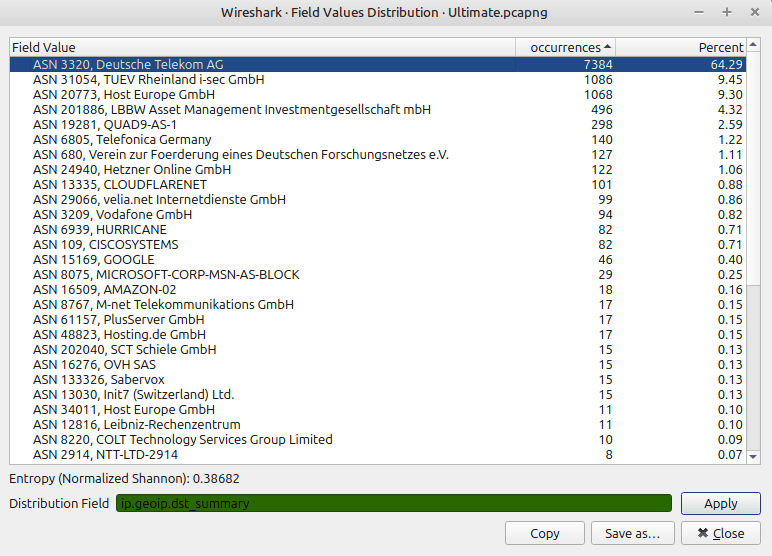
This window allows to write a filter and get a distribution of the values matching this filter, with their respective occurences and percentages. Additionally, an Entropy value (Normalized Shannon) is also computed. Only String, Integer, and IP addresses types are currently supported for the filter.
You can launch it directly from the Statistics menu, then you can type a filter in the edit box, or by a right-click on some field found in the packet details tree, which will display the results for the given clicked field.
![[Note]](images/note.svg) | Note |
|---|---|
|
A high Entropy value (between 0.9 and 1) indicates that values are rather evenly distributed, while a low value (0 - 0.5) on the contrary indicates one or more dominant values. |
![[Tip]](images/tip.svg) | Tip |
|---|---|
|
You can use this feature to regularly baseline your traffic, for example filters such as |