 |
Wireshark 5.1.0
The Wireshark network protocol analyzer
|
Loading...
Searching...
No Matches
|
Wireshark 5.1.0
The Wireshark network protocol analyzer
|
#include <theme_preview_widget.h>
Signals | |
| void | showColoringRulesChanged (bool show) |
Public Member Functions | |
| ThemePreviewWidget (QWidget *parent=nullptr) | |
| void | setPreviewColors (const QHash< ThemeManager::ThemeToken, QColor > &colors) |
| void | setShowColoringRules (bool show) |
| bool | showColoringRules () const |
Protected Member Functions | |
| void | paintEvent (QPaintEvent *evt) override |
| void | contextMenuEvent (QContextMenuEvent *event) override |
| QSize | minimumSizeHint () const override |
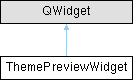
Static, hand-painted 3-pane mockup of a Wireshark capture window (filter bar + packet list + details/bytes). Used by the Font and Colors preferences page to show the user what the selected theme looks like before the change is committed.
The widget never reads from the live ThemeManager except as a fallback. Callers push a token → color hash via setPreviewColors() whenever the selection changes; missing entries fall back to the live ThemeManager value so the widget always paints something.
| void ThemePreviewWidget::setPreviewColors | ( | const QHash< ThemeManager::ThemeToken, QColor > & | colors | ) |
Replaces the preview's color table. Triggers a repaint.
| colors | token → resolved QColor map, typically obtained from ThemeManager::previewTheme(). Passing an empty hash is valid — every lookup will fall back to the live ThemeManager. |
| void ThemePreviewWidget::setShowColoringRules | ( | bool | show | ) |
Toggles overlaying the live coloring rules on the sample packet rows.
Off by default: the preview shows theme colors only — alternating base shading plus the selection / marked / ignored state tokens. When on, each sample row is tinted with the matching rule from the user's current color-filter set, looked up by rule name (e.g. "TCP", "HTTP", "Bad TCP"); rows whose rule is disabled or absent keep their theme color, and the state tokens still take precedence. The rule set is snapshotted at the moment it is enabled, not re-read on every repaint.
Also reachable from the right-click menu; setting it emits showColoringRulesChanged() so an external control (e.g. a checkbox on the preferences page) can stay in sync with the menu toggle.
 1.15.0