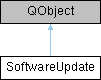
The SoftwareUpdate class provides an interface for checking for software updates and engaging the update process.
More...
#include <software_update.h>
|
| void | updateAvailable (QString newVersion, QString releaseNotes) |
| | Emitted when a new software update is available.
|
| void | updateCheckFailed (const QString &errorString) |
| | Emitted when the update check fails.
|
| void | updateEngaged () |
| | Emitted when the update process is engaged.
|
| void | appShutdownRequested (ShutdownEvent *shutdownEvent) |
| | Emitted when the application requests a shutdown to perform an update.
|
The SoftwareUpdate class provides an interface for checking for software updates and engaging the update process.
This class is implemented as a singleton and can be accessed through the static instance() method. It provides methods for initializing and cleaning up the update framework, as well as for starting and stopping automatic update checks. The class also emits signals when updates are available, when update checks fail, when the update process is engaged, and when the application requests a shutdown for performing an update.
◆ SoftwareUpdate()
| SoftwareUpdate::SoftwareUpdate |
( |
QObject * | parent = nullptr | ) |
|
|
explicitprotected |
Construct the SoftwareUpdate singleton.
- Parameters
-
| parent | The parent QObject. |
◆ appShutdownRequested
| void SoftwareUpdate::appShutdownRequested |
( |
ShutdownEvent * | shutdownEvent | ) |
|
|
signal |
Emitted when the application requests a shutdown to perform an update.
- Parameters
-
| shutdownEvent | The event object that listeners may accept or reject. |
◆ cleanup()
| void SoftwareUpdate::cleanup |
( |
| ) |
|
Cleans up the update framework and stops the automatic update check.
◆ info()
| QString SoftwareUpdate::info |
( |
| ) |
|
|
static |
Returns a string with the information about which software update framework is being used.
◆ init()
| void SoftwareUpdate::init |
( |
bool | runWithoutSilentCheck = false | ) |
|
This method will be called by the main application after it has initialized far enough that the update frameworks can be initialized. Together with that the automatic update check will also be started, if the user has enabled it in the preferences. The interval used will be the one set in the preferences as well.
- Parameters
-
| runWithoutSilentCheck | If true, the update check will be performed as it had been before the silent check was implemented, by using the API versions of the silent checks. |
Start the automatic update check if enabled in preferences
◆ instance()
◆ isAutoCheckEnabled()
| bool SoftwareUpdate::isAutoCheckEnabled |
( |
| ) |
const |
Return whether the periodic automatic update check is enabled.
- Returns
- true if the auto-check timer is currently active.
◆ performUIUpdate()
| void SoftwareUpdate::performUIUpdate |
( |
| ) |
|
|
static |
This will initiate the UI update process. It is assumed, that if the periodic update check is enabled, this will be called by the user by interacting with the update notification. It will also be called when clicking on the "Check for updates" action in the "Help" menu.
The "normal" flow is, that we periodically check for updates in the background and notify the user if an update is available. It is then up to the user to decide if they want to update or not.
◆ plattformSupported()
| bool SoftwareUpdate::plattformSupported |
( |
| ) |
|
|
static |
A runtime "wrapper" for HAVE_SOFTWARE_UPDATE and including platform checks. This can be used by the UI to check if an update is currently supported and possible or not.
- Returns
- true The platform is supported
-
false The platform is not supported
◆ startAutoCheck()
| void SoftwareUpdate::startAutoCheck |
( |
int | intervalSeconds = 0 | ) |
|
Start the periodic automatic update check.
- Parameters
-
| intervalSeconds | The check interval in seconds, or 0 to use the preference-configured interval. |
◆ updateAvailable
| void SoftwareUpdate::updateAvailable |
( |
QString | newVersion, |
|
|
QString | releaseNotes ) |
|
signal |
Emitted when a new software update is available.
- Parameters
-
| newVersion | The version string of the available update. |
| releaseNotes | The release notes HTML or plain text for the update. |
◆ updateCheckFailed
| void SoftwareUpdate::updateCheckFailed |
( |
const QString & | errorString | ) |
|
|
signal |
Emitted when the update check fails.
- Parameters
-
| errorString | A human-readable description of the failure. |
◆ updateEngaged
| void SoftwareUpdate::updateEngaged |
( |
| ) |
|
|
signal |
Emitted when the update process is engaged.
Emitted in any of the following cases:
- The user accepted an update after being notified of an available update.
- The user accepted an update after manually checking through the UI.
- The user was shown the update dialog but dismissed it.
- The user was shown the update dialog but cancelled it.
- The update process failed.
The documentation for this class was generated from the following files:
- /builds/wireshark/wireshark/ui/qt/utils/software_update.h
- /builds/wireshark/wireshark/ui/qt/utils/software_update.cpp

 1.15.0