 |
Wireshark 5.1.0
The Wireshark network protocol analyzer
|
Loading...
Searching...
No Matches
|
Wireshark 5.1.0
The Wireshark network protocol analyzer
|
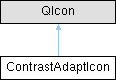
A QIcon that keeps an SVG's own colours and adapts each one for contrast against the surface it is painted on. More...
#include <contrast_adapt_icon.h>
Public Member Functions | |
| ContrastAdaptIcon (const QString &svg_resource_path, QPalette::ColorRole surface_role=QPalette::Window, QSize size=QSize(16, 16)) | |
| ContrastAdaptIcon (const QString &svg_resource_path, const QColor &explicit_background, QSize size=QSize(16, 16)) | |
| Explicit-background variant. | |
| ContrastAdaptIcon (const char *name) | |
| Convenience constructor for creating a contrast-adapted icon from a stock name. | |
| void | setPalette (const QPalette &palette) |
| Set a custom palette for drawing this icon instead of the application palette. | |
Static Public Member Functions | |
| static void | setDefaultMinContrast (qreal ratio) |
| Minimum WCAG contrast ratio every ContrastAdaptIcon holds against its background. | |
| static qreal | defaultMinContrast () |
A QIcon that keeps an SVG's own colours and adapts each one for contrast against the surface it is painted on.
Companion to StockIcon and ThemedIcon, and a deliberate inverse of ThemedIcon: ThemedIcon throws the SVG's colours away and flattens the silhouette to one theme token, which destroys multi-colour icons. ContrastAdaptIcon instead treats the SVG as authoritative — it reads the colours out of the markup and runs each through ColorMath::ensureContrast(colour, background, minContrast), nudging only lightness (hue preserved) and only when a colour falls below the target ratio. Multi-colour and per-state colours survive; the code merely guarantees the icon stays legible whatever the theme paints behind it.
The background is resolved from QIcon::Mode (see contrast_adapt_icon.cpp for why it must be), so theme/light-dark changes re-render automatically via the pixmap cache keyed on the resolved background.
QIcon::Disabled renders the usual contrast-adapted icon at 40% opacity, like ThemedIcon.
Per-state colours: an icon that should recolour on hover/press declares the alternates in the SVG itself, with one element per base colour (ignored by the renderer):
<ws:swap base="#729fcf" active="#3465a4" selected="#204a87" on="#73d216"/>
In Active/Selected mode the engine swaps that base colour for the named alternate before contrast-adapting it. The optional "on" attribute names the colour for QIcon::On (e.g. a checked toggle button); a mode-specific active/selected colour takes precedence over it when both apply.
A drawn colour can instead track the theme by binding it to a ThemeManager::ThemeToken, by name:
<ws:map-token color="#212121" token="PaletteText"/>
Every use of that colour is then painted with the token's current theme colour (not contrast-adapted), and the mapping wins over a <ws:swap> for the same colour. Icons that declare nothing simply keep their drawn colours in every mode.
|
explicit |
| svg_resource_path | Qt resource path, e.g. ":/svg_icons/capture-start.svg". |
| surface_role | Palette role for the non-selected background. QPalette::Window for toolbar/menu/dialog chrome; pass QPalette::Base for icons inside item views. |
| size | Nominal render size used when a null size is asked. |
The minimum contrast ratio is not a per-call parameter — it is a global default (see setDefaultMinContrast()).
| ContrastAdaptIcon::ContrastAdaptIcon | ( | const QString & | svg_resource_path, |
| const QColor & | explicit_background, | ||
| QSize | size = QSize(16, 16) ) |
Explicit-background variant.
For call sites whose surface cannot be inferred from QIcon::Mode — e.g. an icon drawn on a packet-list row tinted by a colouring rule. The given background is used for every mode.
|
inlineexplicit |
Convenience constructor for creating a contrast-adapted icon from a stock name.
| name | The base name of the SVG icon resource without a path or .svg extension. |
|
static |
Minimum WCAG contrast ratio every ContrastAdaptIcon holds against its background.
A single global knob rather than a per-call argument: defaults to 1.6 (tuned for icon visibility without shifting colours too far) and is captured by each icon when it is constructed, so set it once at start-up before icons are created. Higher values shift colours more aggressively.
| void ContrastAdaptIcon::setPalette | ( | const QPalette & | palette | ) |
Set a custom palette for drawing this icon instead of the application palette.
Affects every copy of this icon. By default the application palette is used.
 1.15.0