 |
Wireshark 5.1.0
The Wireshark network protocol analyzer
|
Loading...
Searching...
No Matches
|
Wireshark 5.1.0
The Wireshark network protocol analyzer
|
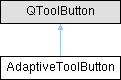
A flat, icon-only tool button whose footprint hugs its icon and whose icon scales with the application zoom. More...
#include <adaptive_tool_button.h>
Public Member Functions | |
| AdaptiveToolButton (QWidget *parent=nullptr) | |
| void | setBaseIconSize (const QSize &size) |
| Sets the logical icon size at zoom 1.0. | |
| QSize | baseIconSize () const |
| The logical icon size at zoom 1.0. | |
| void | setIconPadding (int padding) |
| Sets the symmetric padding (px) added around the icon in the size hint. Not zoom-scaled, so it stays a crisp hairline gap at any zoom. | |
| int | iconPadding () const |
| The symmetric padding (px) around the icon. | |
| QSize | sizeHint () const override |
| Icon footprint plus padding; tight, ignoring style margins. | |
| QSize | minimumSizeHint () const override |
| Same as sizeHint(): the button never shrinks below its glyph. | |
A flat, icon-only tool button whose footprint hugs its icon and whose icon scales with the application zoom.
AdaptiveToolButton exists for inline use inside a line edit's content area (bookmark / clear / apply / history affordances). It solves two problems the native QLineEdit side-action button could not:
It deliberately does NOT position itself. Placement within the host (anchoring, text-margin reservation, dividers) is the container's job; this widget only reports how much room it needs. The flat appearance (no frame or fill) is supplied by the global AdaptiveToolButton rule in application.qss.
Defaults: the base icon size is the style's PM_SmallIconSize (so the platform icon contract is honoured unless a caller sets something else, e.g. a wide apply glyph via setBaseIconSize(QSize(21, 14))), and the icon padding is the style's PM_DefaultFrameWidth (~1px).
| void AdaptiveToolButton::setBaseIconSize | ( | const QSize & | size | ) |
Sets the logical icon size at zoom 1.0.
The effective icon size (QToolButton::iconSize()) is this value scaled by the current zoom factor; it updates automatically on zoom changes. Pass a non-square size for glyphs that are not 1:1 (e.g. the apply chevron).
If never set, the base size defaults to the style's PM_SmallIconSize.
| void AdaptiveToolButton::setIconPadding | ( | int | padding | ) |
Sets the symmetric padding (px) added around the icon in the size hint. Not zoom-scaled, so it stays a crisp hairline gap at any zoom.
If never set, the padding defaults to the style's PM_DefaultFrameWidth (~1px).
 1.15.0